One app instead of three
Terminal emulator, SSH manager, SFTP client — Prmpt does the job of all of them.
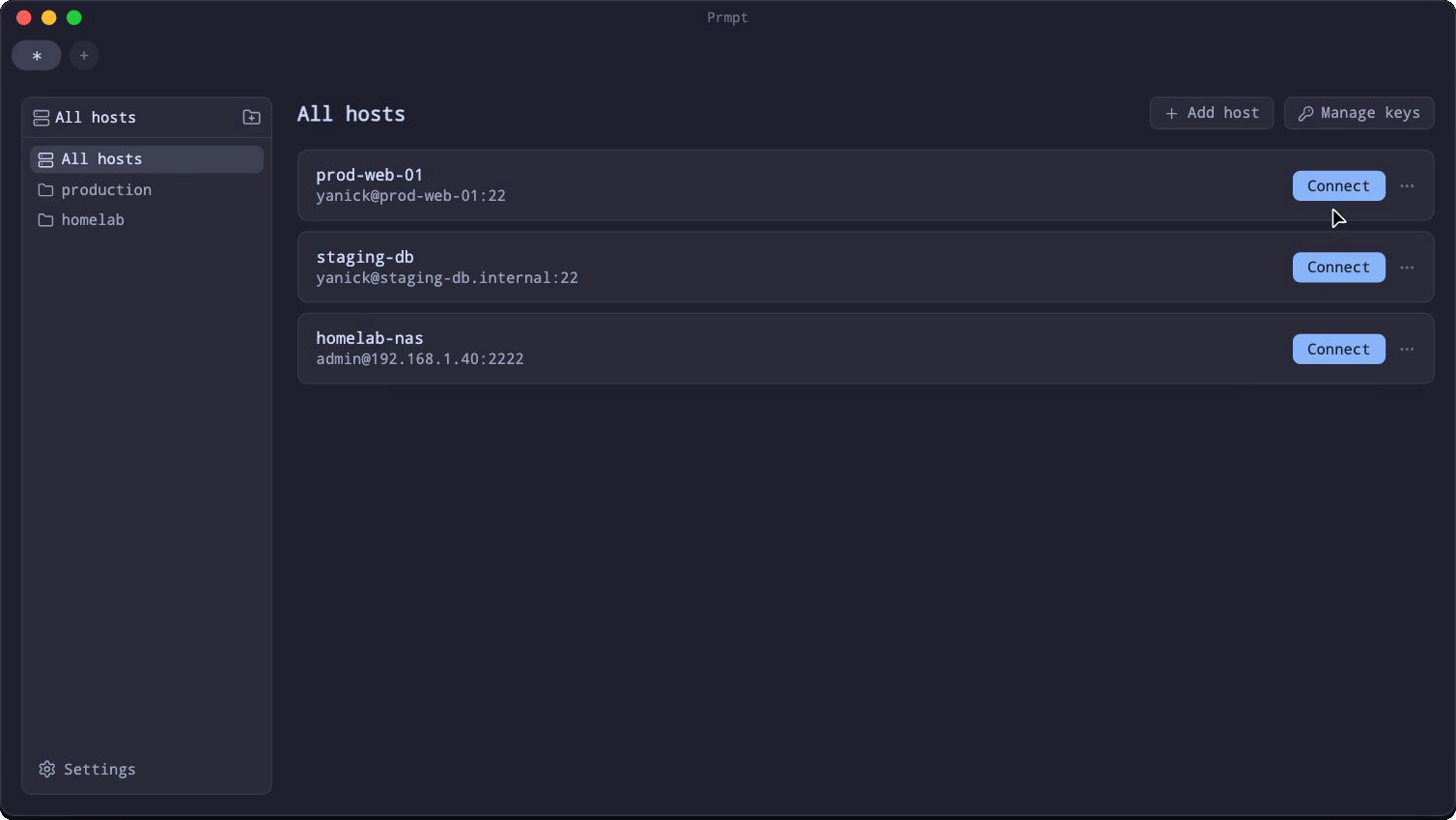
Your SSH hosts, one click away
The connection manager you'd otherwise pay a subscription for, built into the new-tab screen.
- Save a host once, connect with a click — forever
- Folders for prod, staging, homelab
- Keys and passphrases live in an encrypted vault on disk, not in plain text
File transfer, built into the terminal
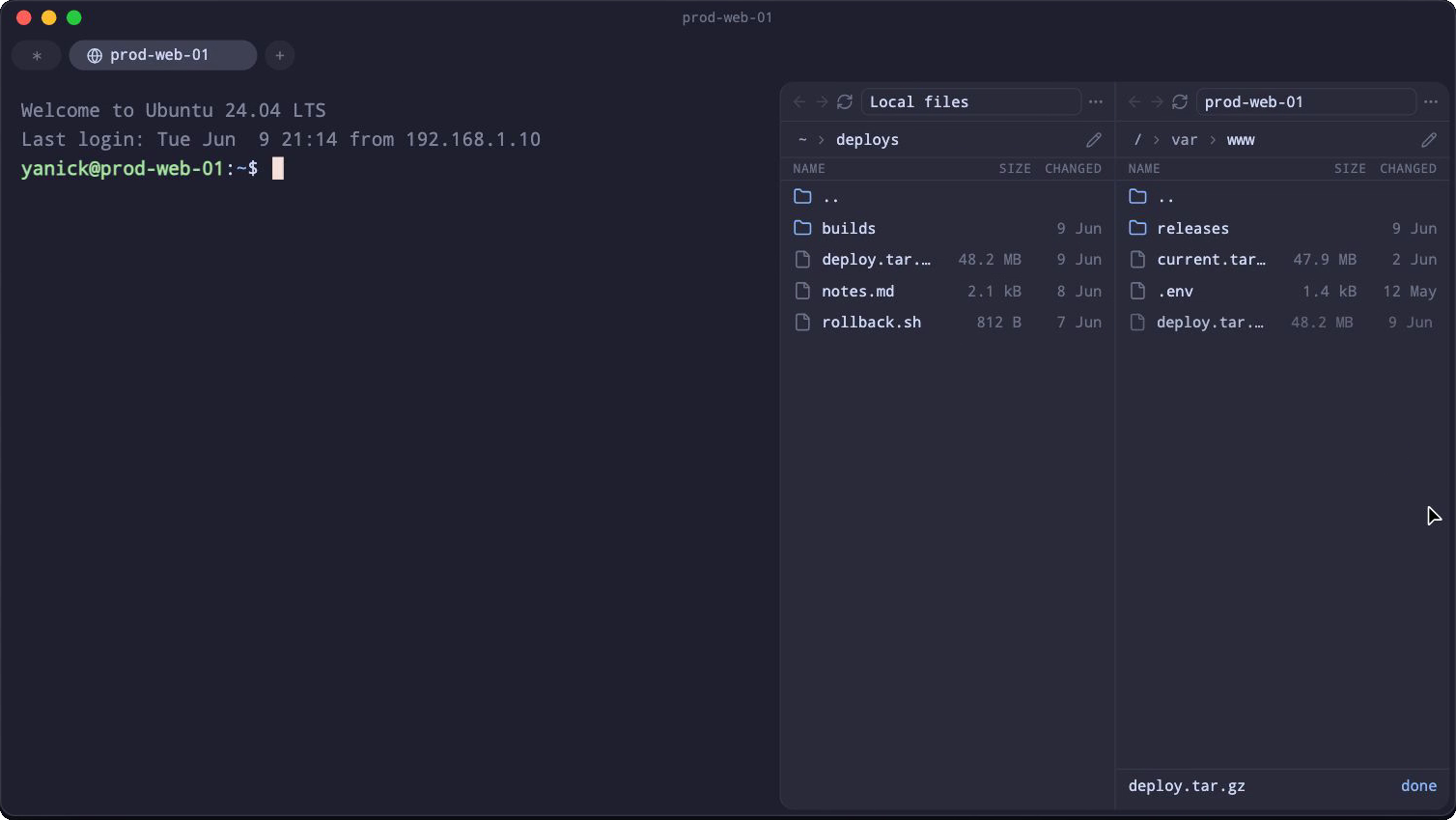
Stop juggling a separate SFTP client. Your files are right there, next to your session.
- Dual-pane browser: local on one side, remote on the other
- Drag & drop in both directions
- Transfers run in the background — you get a toast when they're done
A serious terminal underneath
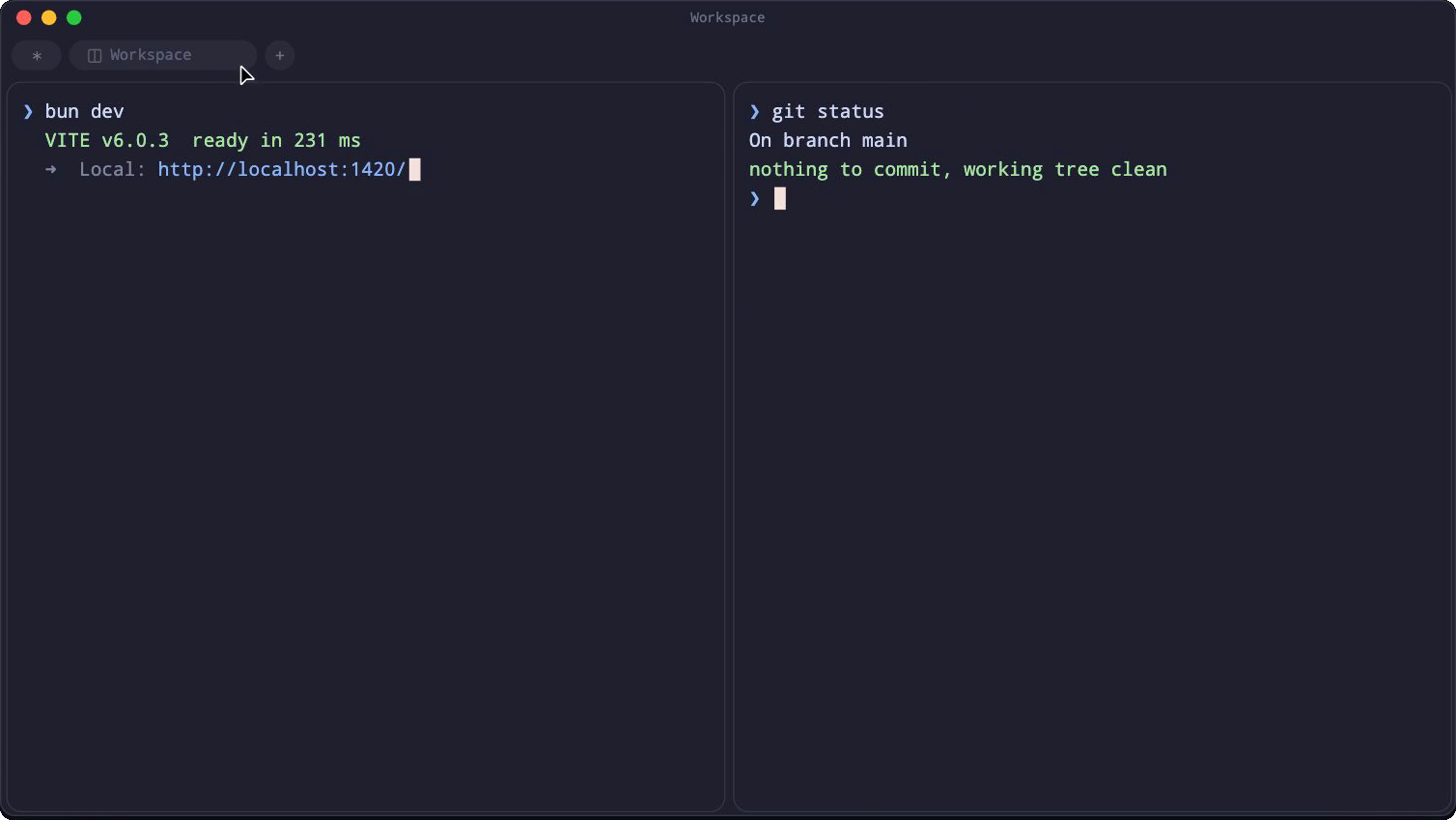
None of this costs you the basics — Prmpt is a real terminal first.
- Drag a tab onto the view to split it; drag it out for a new window
- Every pane is its own shell on its own thread — one busy job can't stall the rest
- Powerline symbols and Nerd Font icons render out of the box
Under the hood
Boring choices, deliberately made.
- Ghostty's VT engineTerminal state driven by
libghostty-vt— not a homegrown parser. - GPU rendererCustom WebGL2 pipeline with a glyph atlas. Smooth at full throughput.
- Plain TOML configOne readable file. Put it in your dotfiles.
- Nerd Font bundledYour prompt theme works on first launch.
- Signed auto-updatesUpdates itself from GitHub Releases; signatures verified before install.
- Lean by designTauri 2 shell — the macOS download is about 22 MB.
Configured in a file, not a database
Everything lives in one config.toml, auto-generated with
defaults on first run. Edit it by hand or through the settings UI —
both write the same file, so it diffs, syncs and version-controls
like the rest of your dotfiles.
font_family = '"JetBrains Mono", "Noto Nerd Font Mono"'
font_size = 14.0
line_height = 1.2
login_shell = true
scrollback_lines = 10000

[theme]
background = "#1e1e2e"
foreground = "#cdd6f4"
cursor     = "#f5e0dc"

[ui]
toast_notifications = true
show_hidden_files   = false
Questions, answered
Is Prmpt really free?
Yes. Prmpt is free software under the GNU AGPL v3 — no paid tier, no account, no subscription. The SSH manager and SFTP browser are part of the app, not an upsell.
Will my OS trust the download?
macOS builds are notarized by Apple and Windows installers are code-signed, so both install without security warnings. Linux ships as an AppImage — chmod +x and run.
How do updates work?
Prmpt updates itself in place from GitHub Releases. Every build is signed and the updater verifies the signature before installing — you never have to come back to this site.
Where does my data live?
In your OS config directory (~/Library/Application Support/Prmpt on macOS, ~/.config/Prmpt on Linux, %APPDATA%\Prmpt on Windows): a config.toml, a local database, and an encrypted Stronghold vault for SSH credentials. Nothing leaves your machine except the connections you open and the update check.
Can I bring my own theme and font?
Yes — background, foreground, cursor and the full 16-color palette are plain hex values in config.toml, and the font stack takes any family installed on your system, with the bundled Nerd Font as fallback.
Ready to retire two apps?
Free download for macOS, Windows and Linux